
If you’re visiting Universal Studios Beijing or Shanghai Disneyland, there’s one thing I want you to sort out before you even book your flights: mobile payment. These parks run almost entirely on Alipay and WeChat Pay. If your Alipay isn’t linked and verified before you arrive, you’ll hit friction at the exact moments you don’t want it.
Setting both apps up takes about 20 minutes. You don’t need a Chinese bank account or a local SIM card. And once it’s done, you can pay for tickets, food, lockers, Express Passes, and power banks without fumbling for cash.
Do this before you go.
Quick Takes
🔑 Set up both: Alipay first, WeChat Pay second, because they're accepted at different touchpoints.
📱 Do it at home: Setup requires SMS verification. Get it done before you land.
💳 Your card works: Visa, Mastercard, JCB, and Amex can all be linked to both apps.
💰 Both apps charge a 3% fee on a single payment over ¥200, plus your bank's own foreign transaction fee (typically 1–3%).
What You Need to Prepare
| Item | Required? | Notes |
|---|---|---|
| Passport (valid) | ✅ Yes | Needed for identity verification and park entry |
| International phone number | ✅ Yes | SMS verification during registration, so do this at home before you fly |
| Visa or Mastercard credit card | ✅ Yes | Debit cards work too but credit cards have higher success rates |
| VPN or eSIM with China data | ✅ Strongly recommended | Google Maps, WhatsApp, and Instagram may not work on a local SIM or Wi-Fi in mainland China |
| Small amount of RMB cash | 🟡 Backup | ¥200–300 in small bills for emergencies — street carts, vending machines |
| Chinese bank account | ❌ Not needed | Your foreign card links directly, with no Chinese bank account required |
How to Set Up Alipay
Alipay is the more foreigner-friendly of the two apps. It supports international phone numbers, links easily to Visa/Mastercard, and has an English-language interface. I always recommend setting this one up first.
Step 1 — Download Alipay
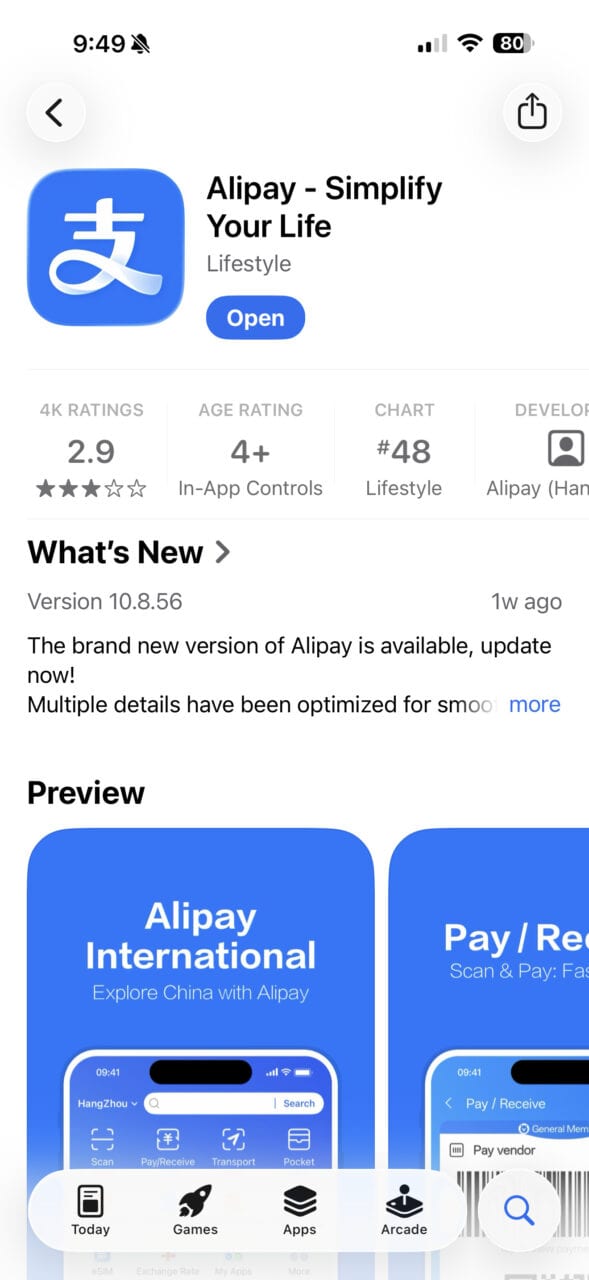
iOS: Search “Alipay” in the App Store. Download the standard international version.
Android: Download from Google Play or Huawei AppGallery. Do this before you leave home, because Google Play may not load reliably inside mainland China without a VPN.
Pro Tip: The app you want is simply called “Alipay.” There is also an “AlipayHK”, a separate app for Hong Kong residents. Download the standard one.
Step 2 — Register Your Account
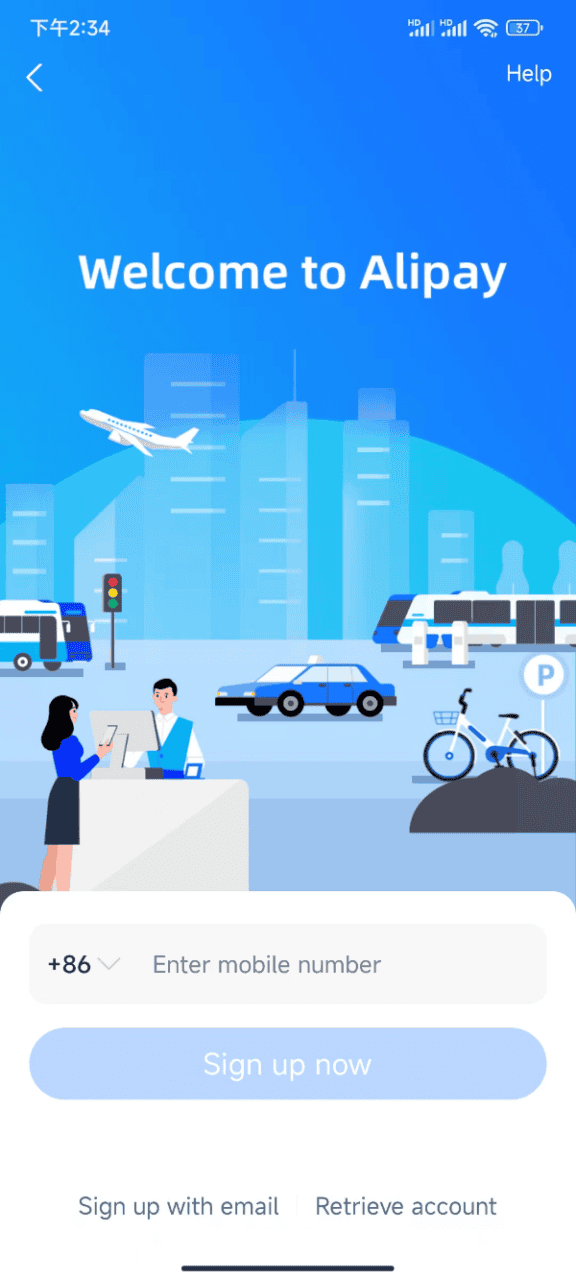
- Open the app and tap Sign Up.
- Enter your international phone number, including your country code.
- You’ll receive an SMS verification code. Enter it to confirm.
- Create a password and complete the registration.
Your phone must be able to receive SMS while you’re doing this. Most international numbers work. If you plan to use a local SIM card in China, register with your home number first, because it’s easier to switch later than to start over.
Step 3 — Verify Your Identity
Identity verification unlocks higher spending limits, which matters when buying Express Passes or multiple items in one go. Without verification, your daily transaction limit is very low.
- Go to Me → Settings → Real-Name Authentication. (The exact menu path may vary slightly depending on your app version.)
- Upload a photo of your passport (the photo page).
- Complete the face scan when prompted.
- Wait for confirmation, which is usually instant.
Once verified, your limits increase to roughly US$5,000 per transaction and US$50,000 per year.
Step 4 — Link Your International Card
Recently changed (February 2025): Alipay now supports American Express in addition to its existing card networks.
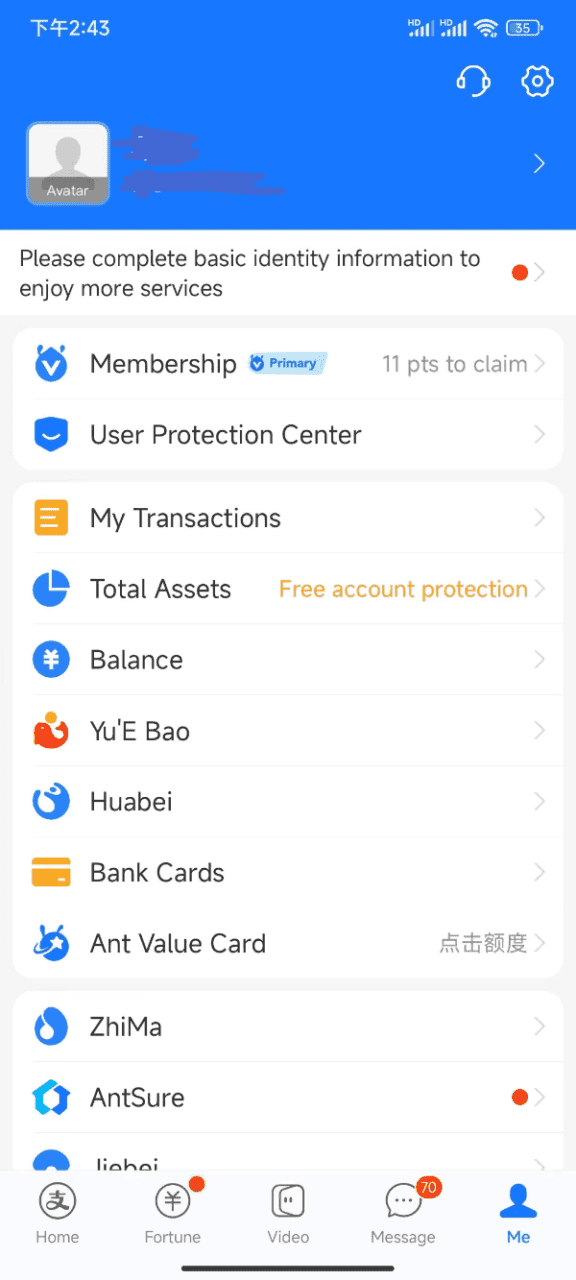
- Go to Me → Bank Cards → Add Card.
- Enter your Visa, Mastercard, Amex, JCB, Discover, or Diners Club card details.
- Confirm via your bank’s OTP or verification process.
Once linked, you can pay directly from your card with no top-up required.
Fees to expect:
| Transaction amount | What you pay |
|---|---|
| ¥200 or below | Your bank’s foreign transaction fee only (typically 1–3%) |
| Over ¥200 | Alipay adds 3% on the full amount (not just the excess) + your bank’s fee |
So a ¥900 Express Pass costs you an extra ¥27 in Alipay fees alone.
Amex users: Cards issued directly by American Express work. Cards co-branded or issued by third-party banks outside mainland China may not link successfully. If yours fails, try a Visa or Mastercard instead.
Pro Tip: Tell your bank you’ll be making transactions in China before you leave. Multiple small charges can trigger fraud alerts and freeze your card mid-trip.
How to Set Up WeChat Pay
WeChat Pay is embedded inside the WeChat app, the same app used for messaging across China. Setting it up is slightly more complex than Alipay, but worth it. Some merchants accept WeChat Pay only, and having both gives you a backup.
Pro Tip: WeChat is also the app you’ll use to message Chinese hotel staff and access mini programs (small apps that run inside WeChat). It’s useful well beyond payment, and I used it more for messaging than for paying.
Step 1 — Download WeChat
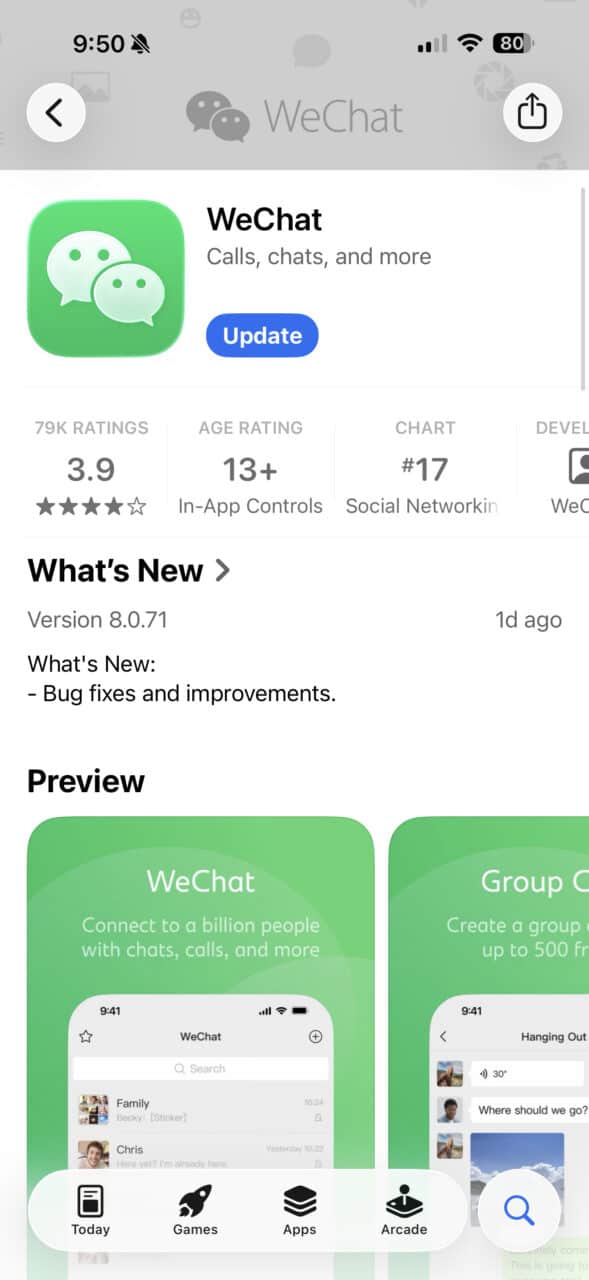
iOS: Search “WeChat” in the App Store.
Android: Download from Google Play or Huawei AppGallery. Do this before you leave home, because Google Play may not load reliably inside mainland China without a VPN.
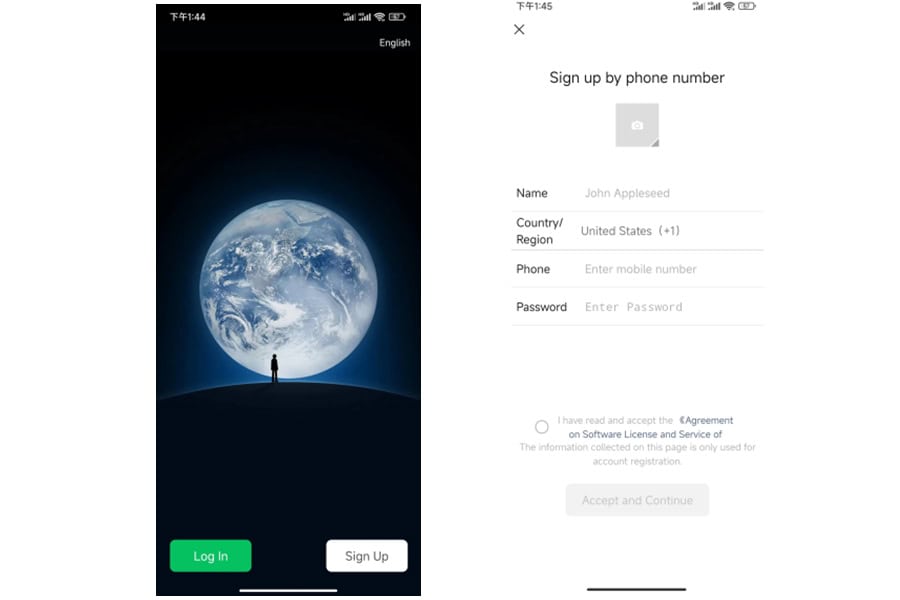
Step 2 — Create a WeChat Account
- Open WeChat and tap Sign Up.
- Enter your international phone number and verify via SMS.
- Set a display name and password.
- You may be asked to have a friend with an existing WeChat account scan a QR code to verify you’re human. If this happens, ask a local contact or hotel staff. It only takes a few seconds.
Step 3 — Set Up WeChat Pay
- Tap Me → Services → Wallet. If Wallet isn’t visible, go to Me → Settings → General → Features /Tools and enable it.
- Tap Bank Cards → Add A Bank Card.
- Enter your Visa, Mastercard, JCB, Amex, Diners Club, or Discover card details.
- Complete identity verification.
- Your WeChat Wallet is ready.
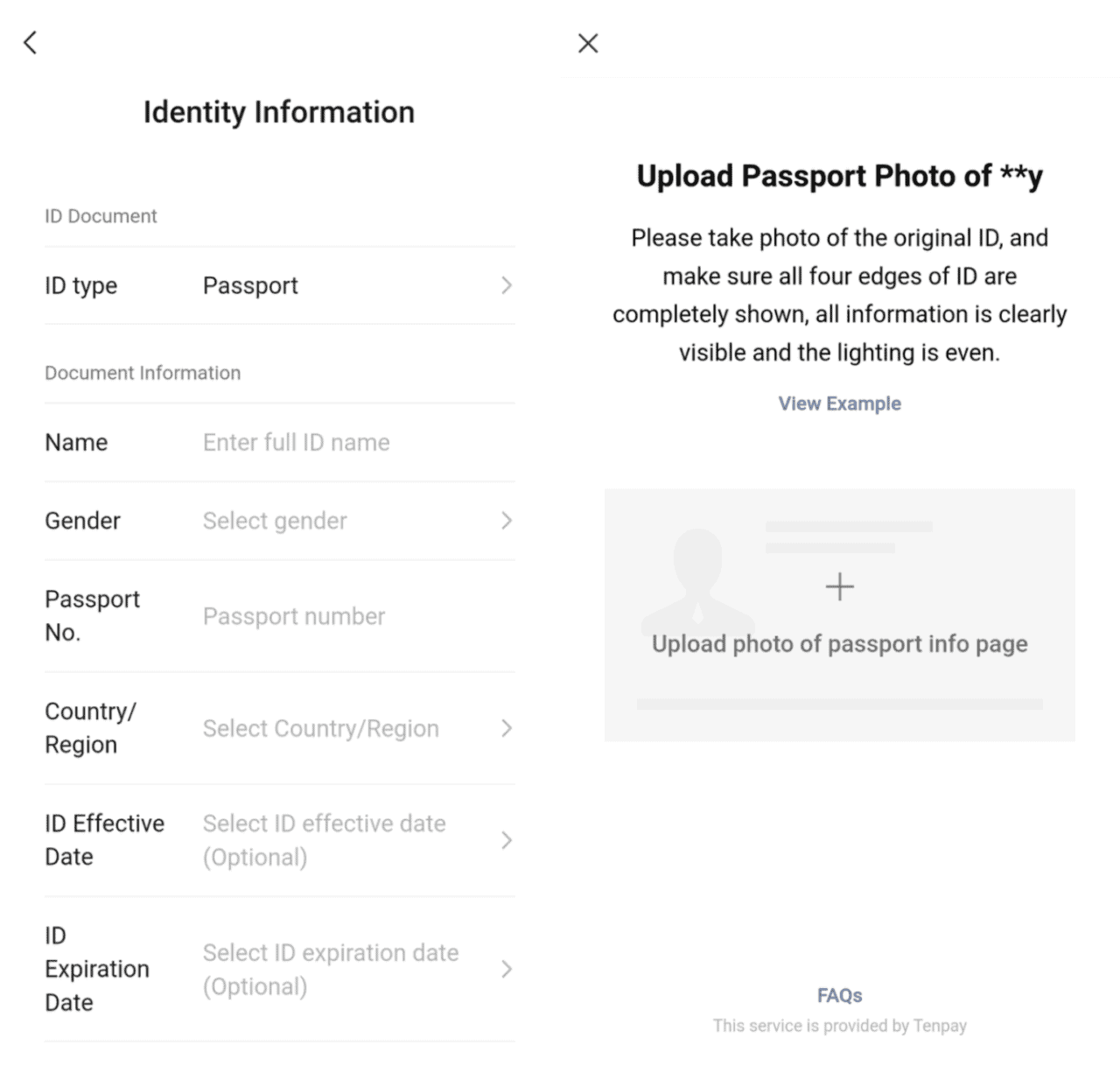
WeChat Pay has the same 3% fee as Alipay on a single payment over ¥200. New users may get a temporary fee waiver.
WeChat Pay also has tighter transaction limits: roughly ¥6,000 per single transaction, ¥50,000 per month, and ¥60,000 per year.
Alipay vs WeChat Pay — Which Should You Prioritise?
Set up Alipay first. Use it as your main payment method. WeChat Pay is your backup.
| Alipay | WeChat Pay | |
|---|---|---|
| English-language support | ✅ Full English interface | Partial |
| Transaction limits | US$5,000/transaction | ~¥6,000/transaction (~US$830) |
| Fee structure | 3% over ¥200 + bank fee | 3% over ¥200 + bank fee |
| Extra utility | Payment-focused, mini programs | Messaging, mini programs |
If you only have time to set up one before your trip: Alipay.
If your card won’t link to either app, try the TourCard mini program inside Alipay. Search “Tour Card” in the Alipay search bar. It’s a prepaid card from Bank of Shanghai: you top up with a foreign card (5% fee) and pay through Alipay’s merchant network. Higher fees than direct linking, but it works when nothing else does.
How to pay with Alipay and WeChat Pay
When you pay with Alipay or WeChat Pay, one of two things happens. Knowing which one to expect saves a fumble at the counter.
You scan their QR code
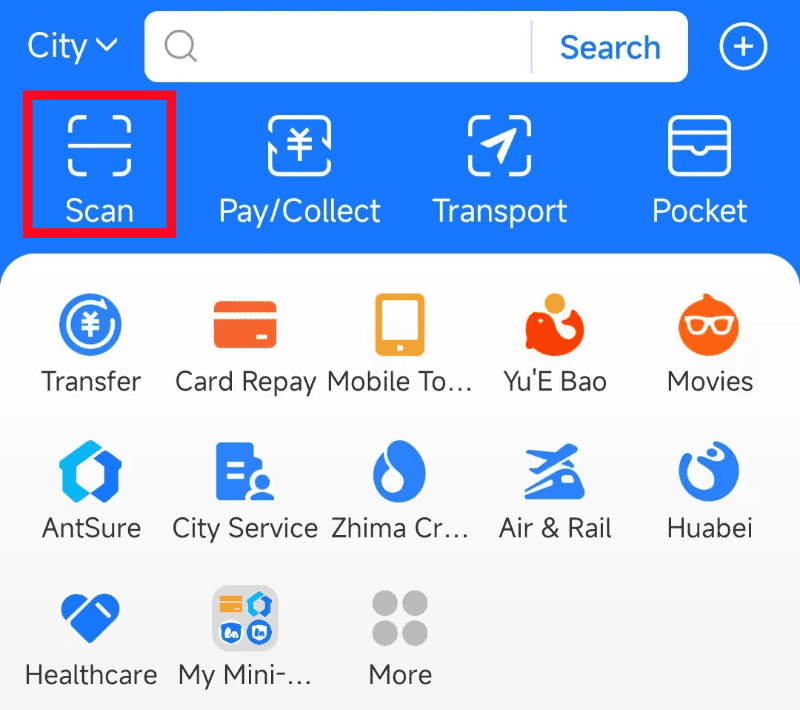
The merchant shows a printed QR code. You open Alipay or WeChat, tap Scan, point at the code, enter the amount, and tap Pay. You’ll see a green success screen — show it to the vendor. This is the most common flow at smaller stalls and food carts.
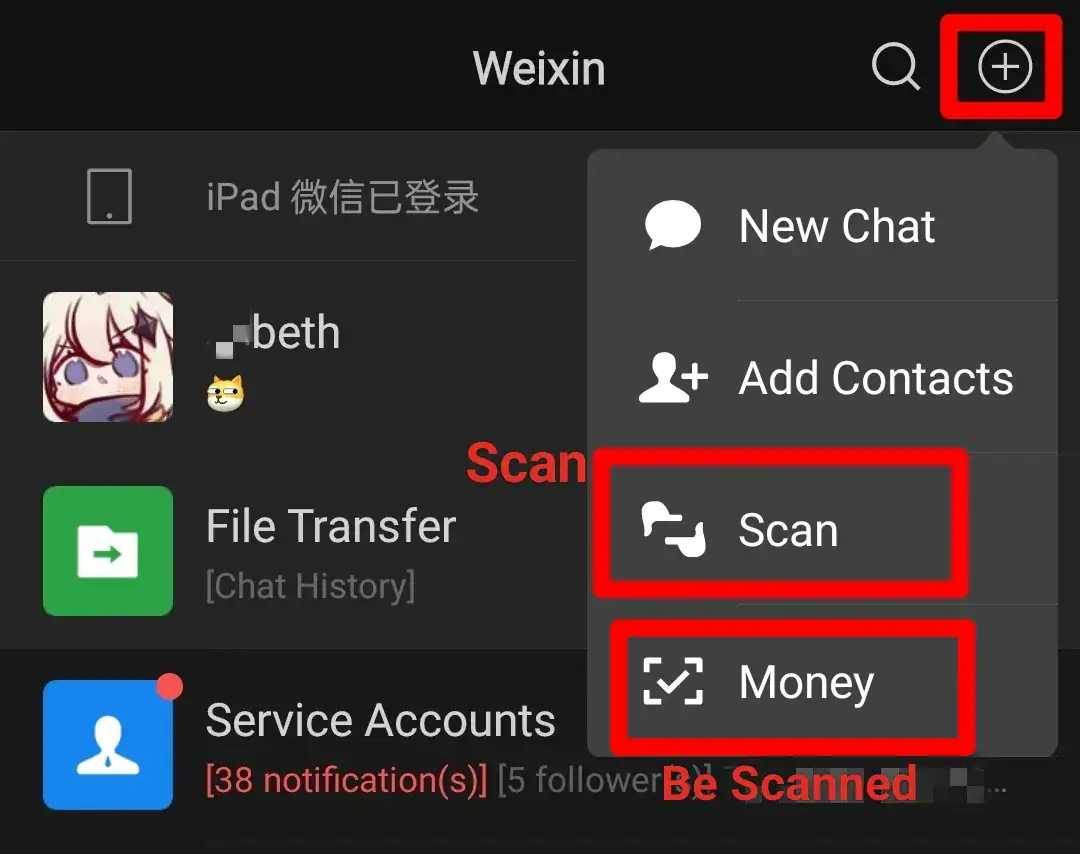
They scan your barcode
You tap Pay/Collect in Alipay or Money in WeChat. Your phone shows a barcode and QR code. The cashier scans it with a handheld scanner or countertop reader. The payment processes automatically. This is standard at larger shops and restaurants with POS systems.
What Requires Mobile Payment and What Doesn’t at the Park
Not everything at Shanghai Disneyland and Universal Studios Beijing needs Alipay or WeChat Pay. Knowing which touchpoints are mobile-pay-only and which accept cards helps you decide how urgently to set things up.
No workaround, mobile payment is the only option:
- Purchasing Tickets and Universal Express Pass through the official Universal Studios Beijing app on the day (Alipay or WeChat Pay only)
- Purchasing tickets, Early Park Entry Pass, or Disney Premier Access through the official Shanghai Disneyland app (accepts Alipay, WeChat Pay, or international credit card, but card linking is inconsistent, so mobile payment is the reliable option)
- Renting power banks at both parks (self-service stations, QR code only)
- Mobile food ordering inside the apps (though you can always order at the counter instead)
Your credit card or cash will work fine:
- Sit-down and table-service restaurants
- Merchandise stores (most of them)
- Many counter-service registers (Visa and Mastercard accepted, though staff may need to switch machines for foreign cards)
- ATMs inside both resorts (withdraw RMB as a fallback)
The safest approach: set up Alipay and WeChat Pay before you leave home, link a foreign credit card, and treat cash as your emergency backup.
The bottom line: Tickets and food don’t require mobile payment at all. Buy tickets on Trip.com or Klook and bring a credit card. But if you want the Early Park Entry Pass, plan to use Premier Access or Express Pass on the day, or don’t want to carry your own power bank, then mobile payment is essential.
Payment Touchpoints at Universal Studios Beijing
Here’s every place you’ll need to pay at
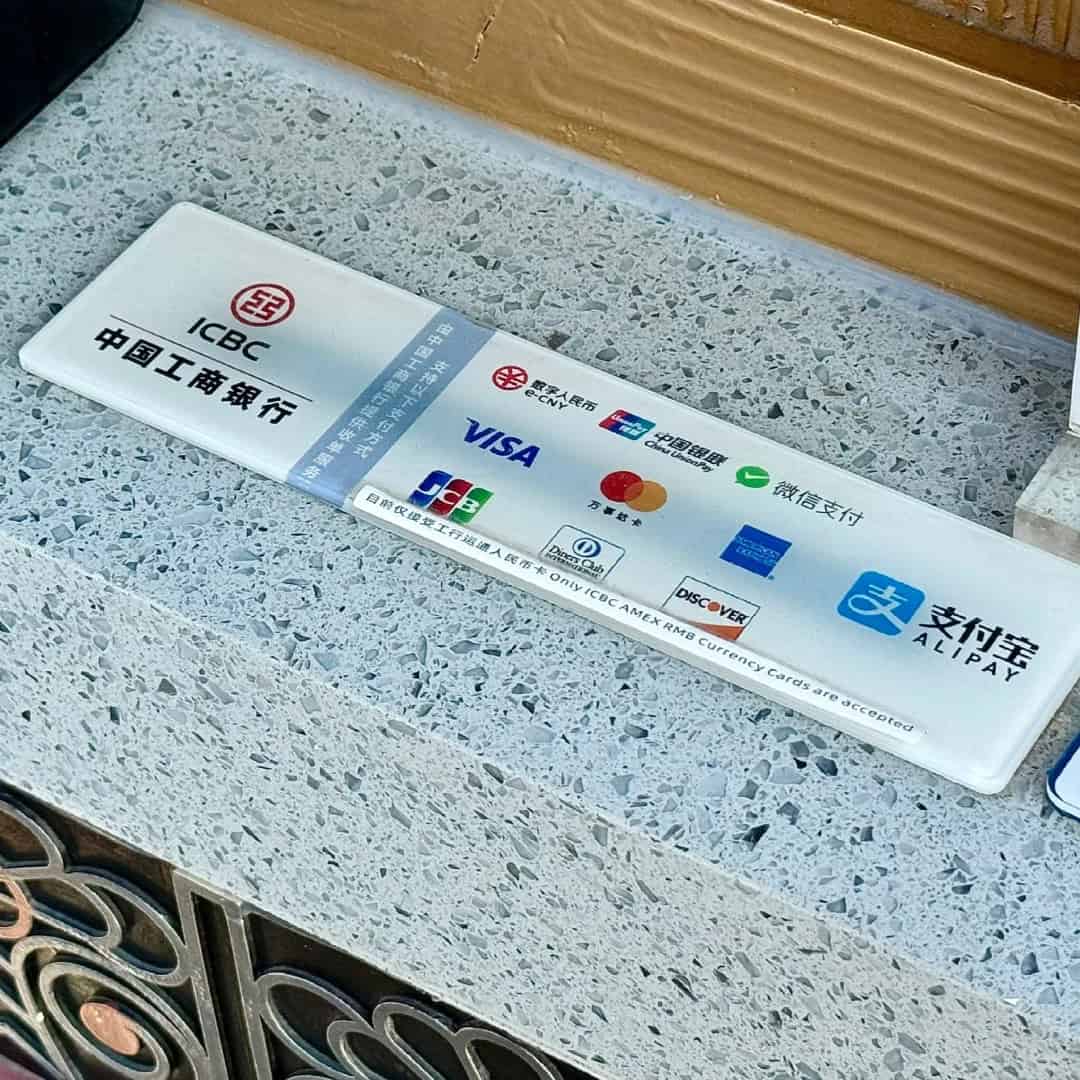
Universal Studios Beijing (UBJ) and what works at each.
Buying Tickets
| Channel | Payment | Notes |
|---|---|---|
| Klook / Trip.com (recommended) | Foreign credit card, Apple Pay, PayPal | Easiest, no Chinese payment tools needed |
| Official app / mini programs | Alipay or WeChat Pay | 3% fee over ¥200 |
| On-site ticket windows | Alipay, WeChat Pay, RMB cash, or credit card | Accepts all payment types |
I recommend buying through Klook or Trip.com. They are cheaper than the official site, accept international credit cards, and skip the SMS verification problem that blocks many foreign visitors from the official app.
If you buy through the official app, there is a 3% fee on a single payment over ¥200 (on top of your bank’s foreign transaction fee). Buying tickets through Klook or Trip.com avoids this fee.
Full ticket breakdowns → Universal Studios Beijing Planning Guide
Express Pass (Skip-the-Line)
| Channel | Payment | Notes |
|---|---|---|
| Klook / Trip.com (recommended) | Foreign credit card, Apple Pay, PayPal | Buy up to 30 days in advance |
| Official app / mini programs | Alipay or WeChat Pay | 3% fee over ¥200 |
| Guest Services at park entrance | Accepts all payment types | Staff can assist with in-person purchase if digital channels all fail |
Express Pass uses facial recognition, and uploading your photo in the official app beforehand makes Express lanes instant.
Full Express Pass breakdowns → Universal Studios Beijing Planning Guide
Early Park Admission (Hotel Guests Only)
UBJ does not sell a standalone early entry pass. Early Park Admission is available only to guests at the two resort hotels: Universal Studios Grand Hotel and NUO Resort Hotel. It’s a hotel perk, not a separate purchase. If early entry matters to you, factor it into your hotel decision.
Full hotel breakdowns → Universal Studios Beijing Planning Guide

In-Park Dining
| Payment method | Accepted? |
|---|---|
| Alipay / WeChat Pay | ✅ Fastest, tap and go |
| Foreign Visa / Mastercard cards | ✅ Accepted at restaurants and shops but staff may need to switch to a separate machine for foreign cards |
| RMB cash | ✅ |
| Mobile food ordering (in-app) | ⚠️ International phone numbers can register but SMS verification often fails, so it is unreliable for most visitors |
Visa and Mastercard work at sit-down restaurants and most counter-service spots, but the POS terminal may reject foreign cards on the first try. Staff switch to a different machine or radio for one. It works, but mobile payment skips the wait entirely.
Butterbeer and street carts: Smaller carts and street-food stands are hit-or-miss with physical cards. Keep Alipay or WeChat Pay ready, or have ¥50–100 in RMB cash. You’ll usually scan their QR code and enter the amount yourself.
Mobile ordering through the app accepts international phone numbers for registration, but SMS verification codes are notoriously hard to receive on non-Chinese numbers. If you can’t get the code, skip it and order at the counter.

Merchandise Shops
| Payment method | Accepted? |
|---|---|
| Alipay / WeChat Pay | ✅ |
| Foreign Visa / Mastercard cards | ✅ |
| RMB cash | ✅ |
This is one touchpoint where you have full flexibility: every payment method works.

Lockers
| Payment method | Accepted? |
|---|---|
| Alipay / WeChat Pay | ✅ Primary method (face recognition or QR) |
| Foreign Visa / Mastercard cards | ✅ |
| RMB cash | ⚠️ Some machines, not guaranteed |
All-day lockers are located near the Front Gate and on the 2nd floor of Hub near CityWalk. Locker access uses facial recognition linked to the face data captured at park entry.
If the face scan doesn’t work (common if you didn’t pre-upload a photo in the app), tap the key icon on the screen to set a 4-digit PIN code. You can also ask a staff member, who can open and close it manually. You are never locked out of your belongings.
Ride-entry lockers at each attraction are free for the first hour, which is more than enough time for any ride. Same face recognition with PIN fallback. I’ve never seen anyone actually get stuck at one.
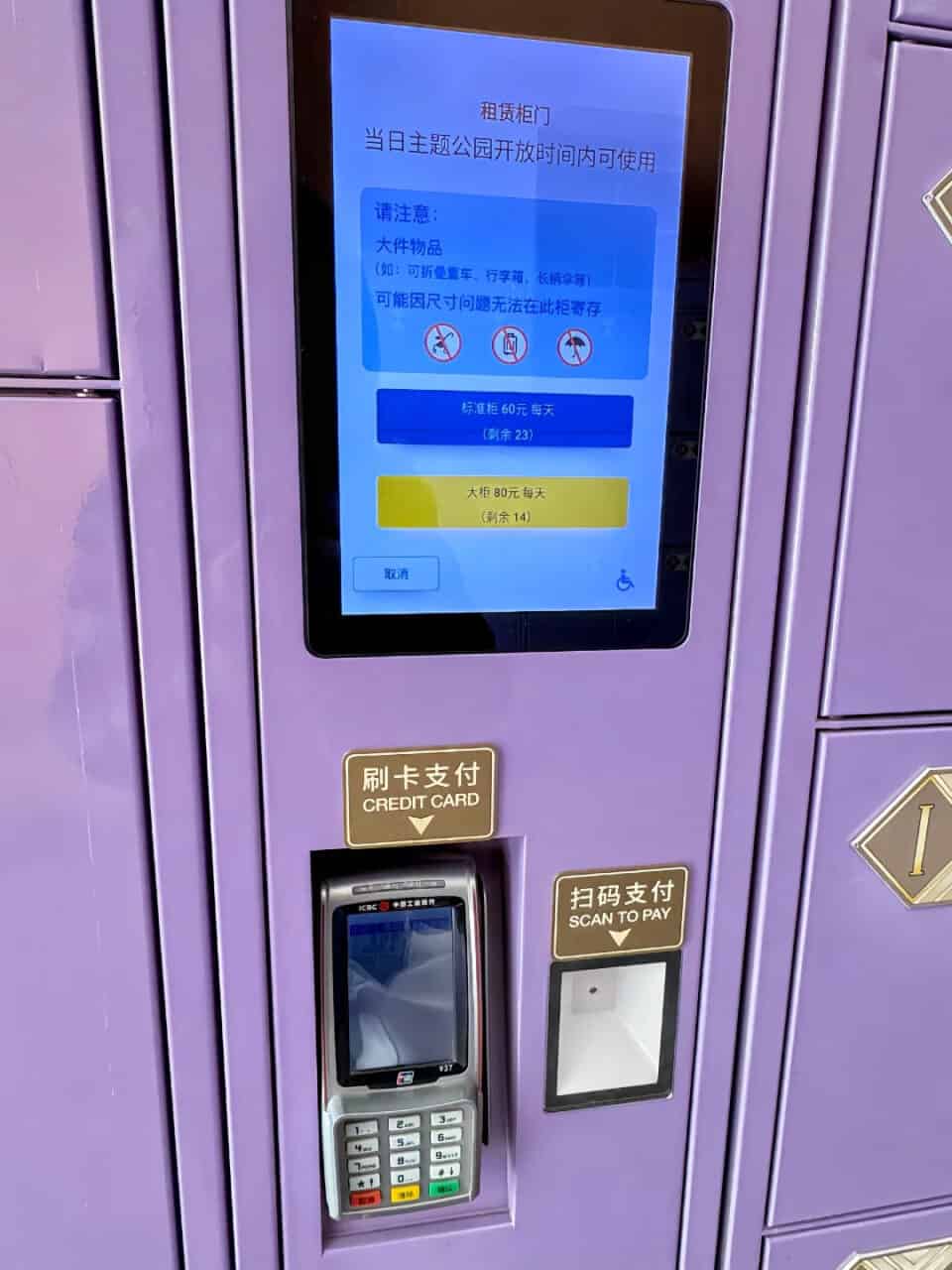
Power Bank Rentals
| Payment method | Accepted? |
|---|---|
| Alipay / WeChat Pay | ✅ Primary method (face recognition or QR) |
| Cash / credit card | ❌ Self-service stations don’t accept these |
My honest recommendation: bring your own. You’ll use your phone all day for maps, wait times, QR codes, and photos. A fully charged external battery (20,000 mAh or under, which both parks allow through security) removes this dependency entirely. UBJ rental stations are also scarce, and visitors report having trouble finding an available one.
ATMs
| Location | Notes |
|---|---|
| Minion Land | Inside the park |
| Kung Fu Panda Land of Awesomeness | Inside the park |
| Universal CityWalk Beijing | Outside the park gates |
| Both resort hotels | Lobby area |
International cards work at all machines. If your mobile payment setup fails or you just want RMB in your pocket, withdraw at the CityWalk ATM before you head in.
Hotels
| Booking channel | Payment |
|---|---|
| Trip.com | Agoda | Foreign credit card (easiest) |
| Official app / website | Alipay or WeChat Pay |
| On-site check-in deposit | Credit card (Visa / Mastercard) or mobile payment |
If early park entry matters to you, book The Universal Studios Grand Hotel or NUO Resort Hotel, which both include Early Park Admission as a hotel perk.
Payment Touchpoints at Shanghai Disneyland
Shanghai Disneyland (SHDL) is slightly more international in its setup, since it’s been open longer and has more experience with foreign visitors.
Buying Tickets
| Channel | Payment | Notes |
|---|---|---|
| Klook / Trip.com (recommended) | Foreign credit card, Apple Pay, PayPal | Easiest, no Chinese payment tools needed |
| Official app / mini program | Foreign credit card, Alipay, WeChat Pay | 3% fee over ¥200 |
I recommend buying through Klook or Trip.com. They are cheaper than the official site, accept international credit cards, and skip the SMS verification problem initially that blocks many foreign visitors from the official app.
If you buy through the official app and pay with Alipay or WeChat Pay, there is a 3% fee on a single payment over ¥200 (on top of your bank’s foreign transaction fee). Buying tickets through Klook or Trip.com avoids this fee.
Important: SHDL does not sell tickets at the gate, so online purchase is mandatory. Make sure the name on the ticket matches your passport.
Full ticket breakdowns → Shanghai Disneyland Planning Guide
Early Park Entry Pass
| Channel | Payment | Notes |
|---|---|---|
| Trip.com (recommended) | Foreign credit card, Apple Pay, PayPal | Buy up to 10 days in advance |
| Official app / mini programs | Alipay or WeChat Pay | 3% fee over ¥200 |
| Guest Services at park entrance | Accepts all payment types | Staff can assist with in-person purchase if digital channels all fail |
The first hour before general opening is when headliner waits are lowest, and I always recommend it for one-day visitors and families.
To avoid the 3% fee, my go-to options are Trip.com or a Deluxe DPA bundle on Klook .
Guests staying at the two Disney resort hotels (Shanghai Disneyland Hotel and Toy Story Hotel) get early entry included free with their stay.
Disney Premier Access (DPA)
| Channel | Payment | Notes |
|---|---|---|
| Klook / Trip.com (recommended) | Foreign credit card, Apple Pay, PayPal | Buy up to 10 days in advance |
| Official app / mini programs | Foreign credit card, Alipay, or WeChat Pay | 3% fee over ¥200 |
| Guest Services | Accepts all payment types | Staff can assist with in-person purchase if digital channels all fail |
DPA is sold as individual attractions (from around ¥140 each) or as bundle sets covering 3, 6, 8, 11, or 15 rides at a discount. There are no kiosks or counters inside the park that sell it, only the app. If nothing works, head to Guest Services inside the park.
In-Park Dining
| Payment method | Accepted? |
|---|---|
| Alipay / WeChat Pay | ✅ Fastest, tap and go |
| Foreign Visa / Mastercard cards | ✅ Accepted at restaurants and shops but staff may need to switch to a separate machine for foreign cards |
| RMB cash | ✅ |
| Mobile food ordering (in-app) | ⚠️ International phone numbers can register but SMS verification often fails, so it is unreliable for most visitors |
Foreign Visa and Mastercard do work at restaurants and shops, but don’t expect a seamless tap-and-go experience. Staff sometimes try the regular POS terminal first, which rejects foreign cards, then have to switch to (or radio for) a separate machine that accepts them. It works, but mobile payment is noticeably faster and avoids the back-and-forth.
Themed table-service restaurants (Tangled Tree Tavern, Royal Banquet Hall, etc.): Accept international cards at the table. Book these in advance via the SHDR app, because they fill up fast on weekends.
Street food and themed carts: Smaller vendors prefer mobile payment or cash. Keep Alipay ready or have ¥50–100 in RMB cash.
Mobile ordering through the SHDR app works more smoothly than UBJ’s system, but still requires a working Alipay or WeChat Pay account. Counter ordering is always available.
Merchandise Shops
| Payment method | Accepted? |
|---|---|
| Alipay / WeChat Pay | ✅ |
| Foreign Visa / Mastercard cards | ✅ |
| RMB cash | ✅ |
This is one touchpoint where you have full flexibility: every payment method works.
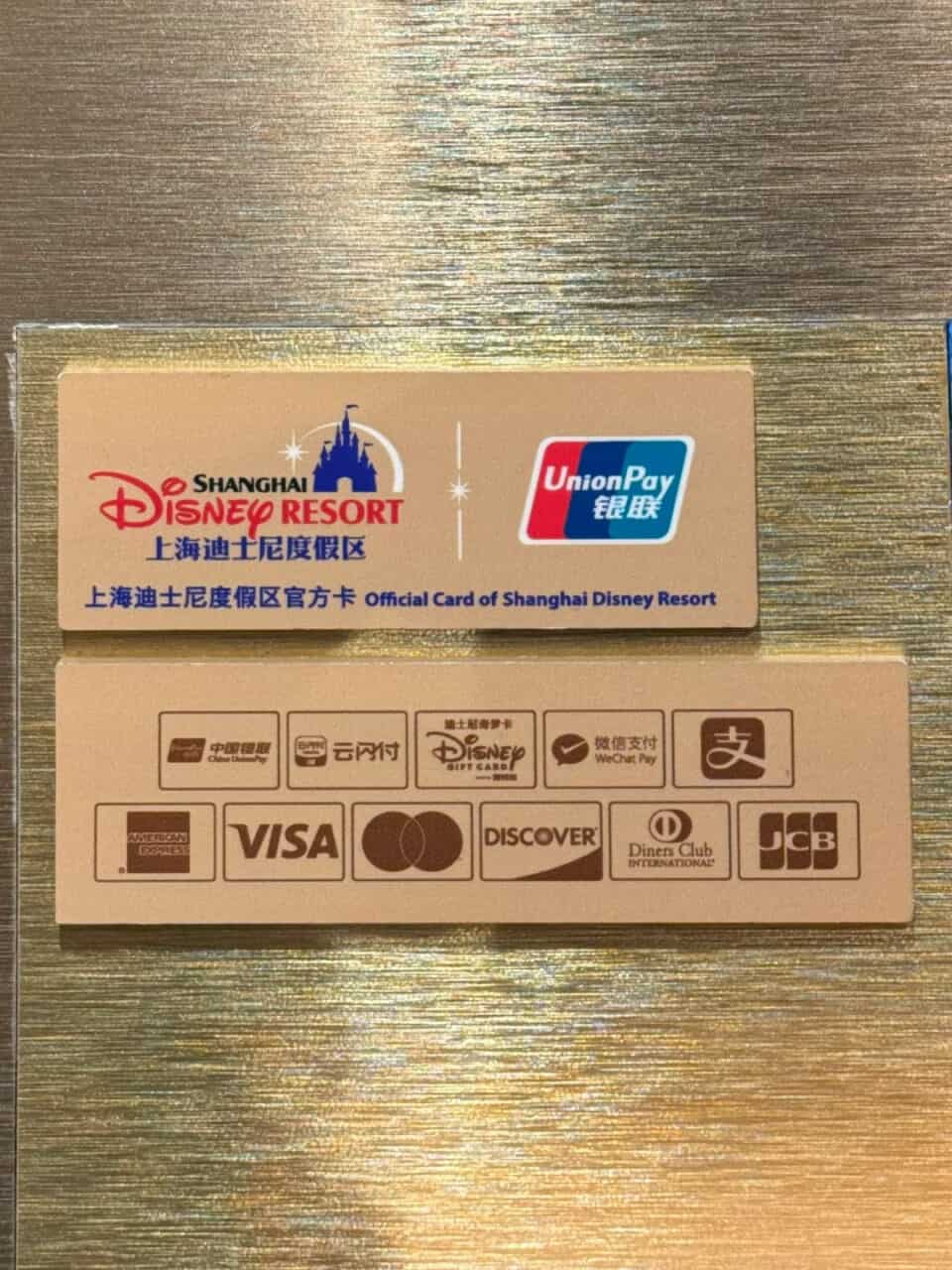
Lockers
| Payment method | Accepted? |
|---|---|
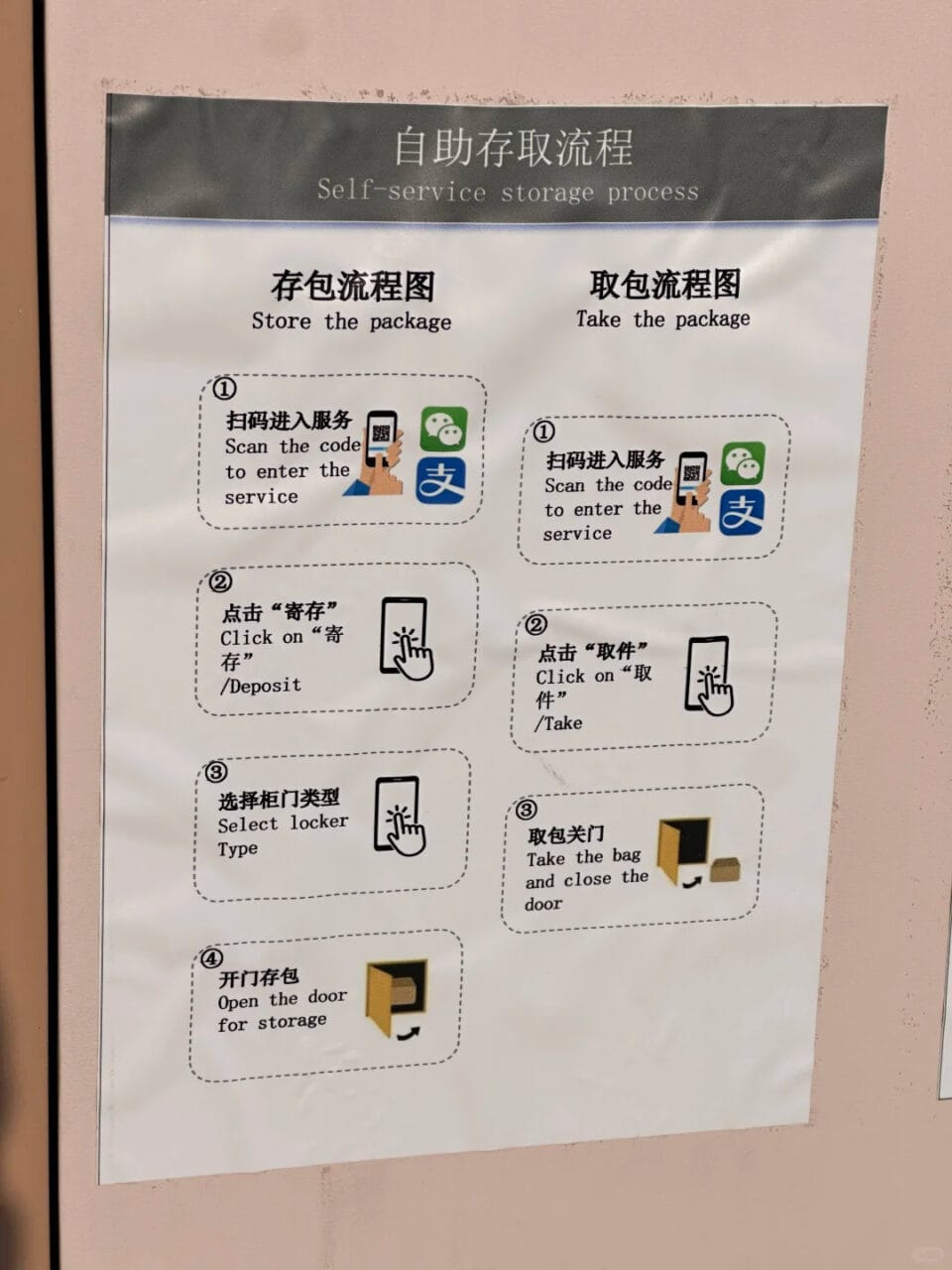
| Alipay / WeChat Pay | ✅ Primary method |
| Foreign Visa / Mastercard cards | ❌ |
Prices are roughly ¥60 (small) to ¥80 (large) for the day, payable via Alipay or WeChat Pay. Dedicated luggage storage is available near the entrance for larger items.
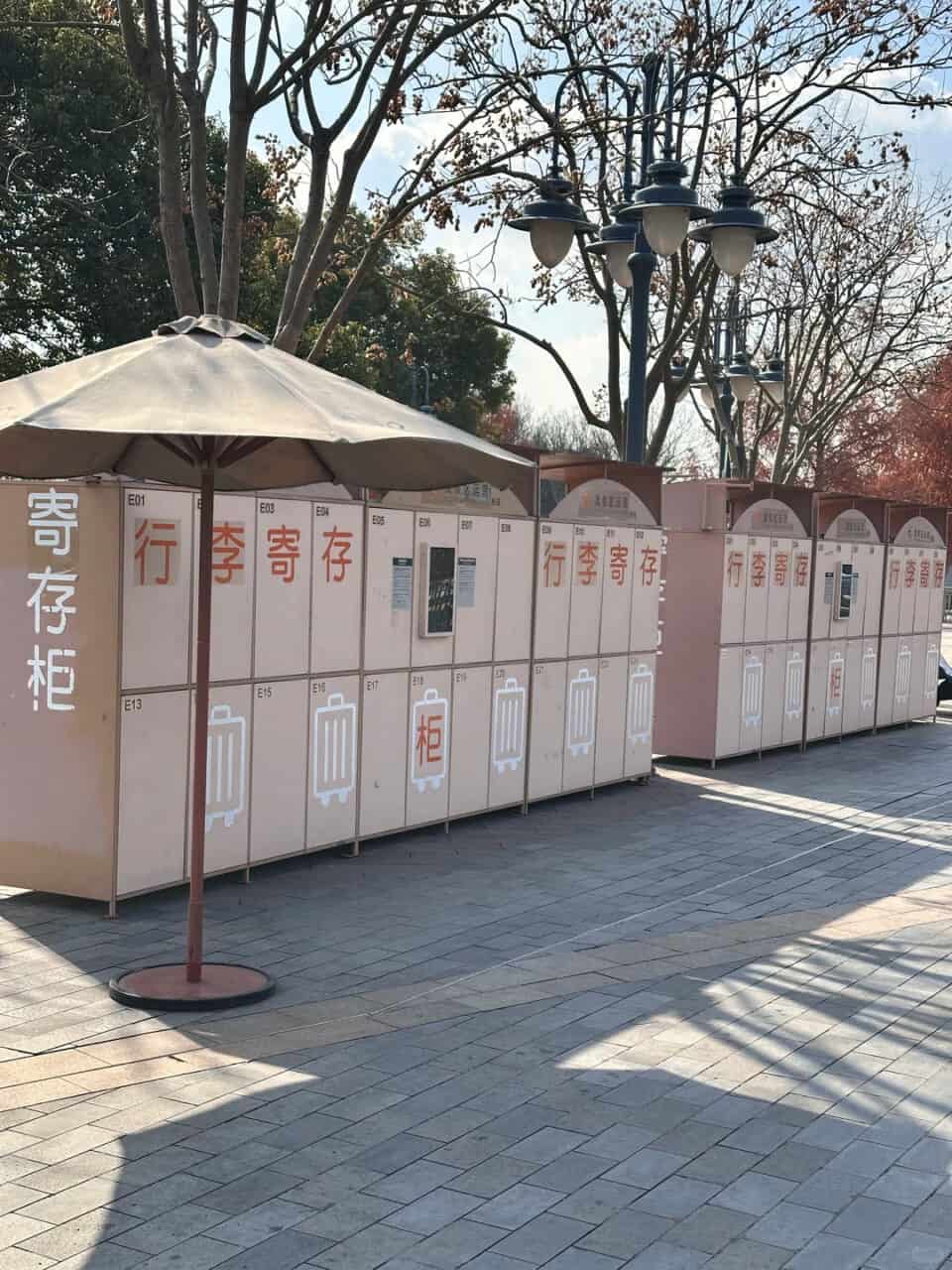
Power Banks
| Payment method | Accepted? |
|---|---|
| Alipay / WeChat Pay | ✅ Primary method (face recognition or QR) |
| Cash / credit card | ❌ Self-service stations don’t accept these |
My honest recommendation: bring your own. You’ll use your phone all day for maps, wait times, QR codes, and photos. A fully charged external battery (20,000 mAh or under, which both parks allow through security) removes this dependency entirely.
ATMs
| Location | Notes |
|---|---|
| Near park entrance | Inside the park |
| Disneytown retail area | Outside the park gates |
| Both resort hotels | Lobby area |
International cards work at all machines.
Hotels
| Booking channel | Payment |
|---|---|
| Trip.com | Agoda | Foreign credit card (easiest) |
| Official app / website | Alipay, WeChat Pay, or foreign credit card |
| On-site check-in deposit | Credit card (Visa / Mastercard) or mobile payment |
Guests at Shanghai Disneyland Hotel and Toy Story Hotel get Early Park Entry included free with their stay, so factor this into your hotel decision if early entry matters to you.
If Your Mobile Payment Setup Fails
Here’s what to do at each failure point.
Try the TourCard mini program inside Alipay (search “Tour Card”). It’s a prepaid card: top up with a foreign card (5% fee) and pay through the Alipay network. Works when direct linking doesn’t.
Try your physical Visa/Mastercard, then cash (RMB). ATMs are inside both resorts.
Before You Leave Home — Timeline
3–4 weeks before your trip
- [ ] Download Alipay and register with your international phone number
- [ ] Complete identity verification with your passport, which unlocks higher transaction limits
- [ ] Link a Visa or Mastercard to Alipay and make one small test payment to confirm it works
- [ ] Download WeChat and set up WeChat Pay with the same card
- [ ] Notify your bank that you’ll be making transactions in China, because some banks auto-block Chinese payments as suspected fraud
1–2 weeks before your trip
- [ ] Set up a VPN: Google Maps, WhatsApp, Instagram, and other services may not work on a local SIM or Wi-Fi in mainland China. Install and test before you arrive
- [ ] Withdraw or exchange RMB: keep ¥200–300 in small bills as emergency backup
Day of your visit
- [ ] Confirm your payment code loads: open Alipay and WeChat, make sure the pay/scan screen comes up
- [ ] Make sure your VPN is working before entering the park
- [ ] Pack a power bank, fully charged. This is the one thing with no workaround if you forget it
My Take
Payment setup is the one thing I hear people stress about most before a China park trip. It sounds complicated before you’ve done it. But Alipay and WeChat do work with a foreign card. Identity verification takes 5 minutes. And once it’s linked, you tap and scan your way through the entire day like everyone else.
If you’re visiting Universal Studios Beijing, check the full Universal Studios Beijing Planning Guide for timing, crowd patterns, and how to structure your day.
If you’re heading to Shanghai Disneyland, the Shanghai Disneyland Planning Guide covers the park layout and the DPA strategy that makes the biggest rides doable without a 2-hour wait.